Car Wash Simulator Performance Troubleshooting
Keep foam stages smooth before timed tips punish hitching
Why performance belongs in a car-wash wiki
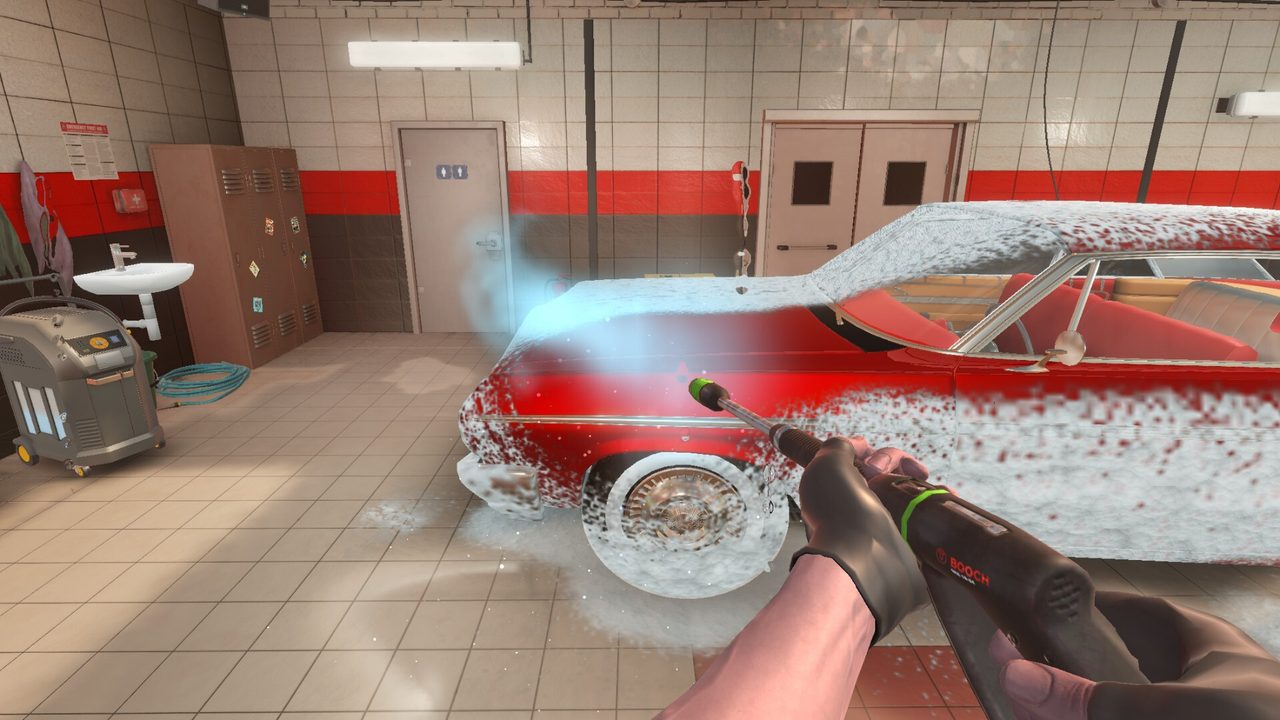
Car Wash Simulator looks cozy until active foam covers a sedan and your frame time spikes. Developer Majestic Twelve and publishers Wildlands Interactive and New Disorder built a solo detailing fantasy where pink, blue, and white foams, wet surfaces, and pressure rinses are the visual headline. Steam Early Access is scheduled for August 10, 2026; the free demo already taught many players that foam and rinse moments are the hottest GPU path. This guide turns demo patch lessons—FSR options, Radeon fixes, UI and driving tweaks—into a practical troubleshooting checklist so Timed Jobs fail because of skill, not stutter.
Start by confirming you meet the published floor on System Requirements. Troubleshooting cannot invent VRAM that Steam’s minimum GPU tier assumes.
Symptoms players report most
- FPS dips when spraying active foam or rinsing dense coverage
- Hitching when opening inventory, Online Store, or upgrade screens
- Unstable nights after day/night lighting changes
- AMD Radeon-specific black screens, driver resets, or worse foam hitches than NVIDIA peers
- Mouse feel that becomes “floaty” after uncapping FPS on a high-refresh monitor
If your issue is “I do not know the wash order,” leave this page and open How to Wash Cars. Performance pages fix frame time, not technique.
Demo patch context you should know
Steam demo posts around mid-2026 called out performance work, UI hints, driving tweaks, and FSR 4.1 under DLSS-style options for supported hardware. A follow-up Radeon GPU fix addressed AMD-specific pain before Early Access. Treat those notes as living history: Early Access builds can reintroduce regressions. After every Steam news post, re-run the foam stress test below instead of assuming last month’s settings still win.
The demo also appeared during Steam Next Fest, which means more machines with wildly different drivers touched the build. Community reports are useful signals, not patch notes—confirm fixes on the Steam news tab linked from Official Links.
Five-minute foam stress test
- Cap FPS near your monitor’s comfort zone (often 60 or 120).
- Start a full exterior with generous active foam coverage.
- Rinse slowly across hood, rockers, and undercarriage views if available.
- Move indoors for mats and glass without pausing.
- Open the Online Store UI once mid-session.
- Note GPU temperature, driver crashes, and whether hitching aligns with foam density.
Record whether the hitch is GPU-bound (fans roar, GPU util high) or CPU/storage-bound (util low, stutters on load). That split decides whether you chase upscalers or background apps.
Settings triage order
1. Drivers and overlays. Update NVIDIA or AMD drivers. Disable aggressive overlays (GeForce Experience instant replay, Discord hardware accel, RGB suites) for one test session.
2. Resolution and upscalers. If FSR or similar options appear, try Quality or Balanced before dropping native resolution too far. Upscalers shine when foam fill-rate hurts more than UI sharpness.
3. Cap frame rate. Uncapped frames can heat the GPU during foam sprays and make look sensitivity feel worse. Pair caps with the advice on Controls.
4. Close capture stacks. OBS, NVIDIA ShadowPlay, and browser hardware decode stacks often spike exactly when particles densify.
5. Verify game files. After big Windows updates, use Steam integrity check before blaming the build.
6. Laptop power. Plug in. Thermals mid-rinse ruin tip timers even when average FPS looks fine.
AMD Radeon checklist
If you are on Radeon:
- Install the latest Adrenalin package, not a months-old OEM bundle
- Toggle any Anti-Lag / Chill features off for a clean A/B test
- Prefer the demo or EA build that mentions Radeon fixes when choosing which Steam branch to play
- Compare foam stages against a friend’s NVIDIA machine before concluding the game is “broken on AMD”
Radeon issues were a published priority after demo feedback. Report remaining crashes with GPU model and driver version on Steam Discussions so the solo developer can reproduce them.
How performance changes your economy
Hitching during foam is not only discomfort—it costs tip windows. If your PC is barely at the GTX 1070 / RX 6600 floor, favor quality loops over aggressive timers until settings stabilize. Use Make Money Fast and the Tip Planner to keep income goals realistic while you tune. Night events and random cards already add variance; unstable frames stack unfairly on top of Day/Night Events.
Early Access week expectations
Launch weeks often ship hotfixes for shader compilation, first-boot hitching, and edge-case GPUs. Bookmark Updates and Release Date. Do not wipe your careful wash habits because day-one FPS wobbles—re-test after each hotfix with the same foam stress loop.
Handheld and Steam Deck claims remain unverified against the official PC table. Treat them as experimental until developer posts say otherwise.
When to escalate beyond settings
- Hard crashes with dump files on a recommended-tier GPU after driver updates
- Foam stages that drop below playable even at low presets
- UI freezes that persist after overlays are gone
Gather a short clip, note the exact stage, and post on Steam. Pair bug reports with calm expectations: Early Access is a living build for a few months, not a frozen 1.0.
Related reading
Confirm specs on System Requirements, practice the loop in the Demo Guide, compare scopes in Demo vs Early Access, and return to Getting Started once frames are stable enough to learn properly.
Frequently Asked Questions
Quick answers to the most common questions.
Why does Car Wash Simulator stutter during foam?
Active foam and wet rinse coverage are the heaviest visual path. Cap FPS, update drivers, try FSR-style upscalers if available, and close capture overlays.
Did the demo get AMD Radeon fixes?
Yes. Demo patch notes around early August 2026 called out Radeon GPU fixes after player reports. Re-test after each new Steam build.
What is FSR doing in the options?
Demo updates listed FSR 4.1 under DLSS-style options for supported hardware. Use it to recover frame time during dense foam before cutting resolution harshly.
Should I uncapped my monitor refresh rate?
Usually no for tip work. Cap near a stable comfort rate so sensitivity stays consistent and the GPU stays cooler during sprays.
Is Steam Deck officially supported?
Steam’s published minimum and recommended table is Windows PC focused. Treat Deck play as unverified until official notes say otherwise.
Where do I report remaining crashes?
Use Steam Discussions and news-linked channels from the Official Links hub, and include GPU model, driver version, and the exact wash stage.