Car Wash Simulator System Requirements
Steam PC specs for the demo and August 10, 2026 Early Access
Why hardware checks come before foam
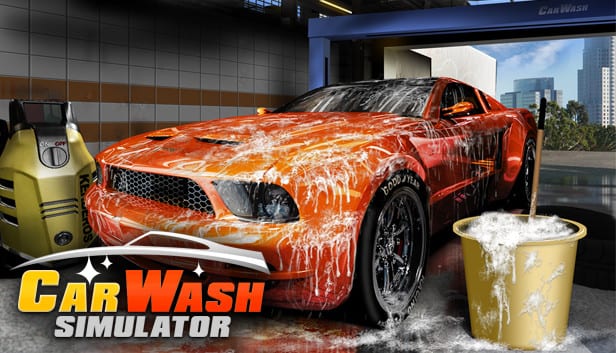
Car Wash Simulator is a solo detailing and business sim from Majestic Twelve, co-published by Wildlands Interactive and New Disorder. Steam Early Access is scheduled for August 10, 2026, and a free demo can be downloaded earlier so you can stress-test both the fantasy and your PC. This page translates the official Steam minimum and recommended specs into practical prep advice: what to verify before a long wash session, how foam-heavy scenes may push GPUs, and which wiki pages to read once your machine can keep a stable frame pace.
Treat these numbers as Steam-published baselines, not a guarantee for every modded Windows install. If your rig sits between minimum and recommended, use the demo as a live benchmark before you plan an Early Access wishlist or purchase.
Official Steam minimum requirements
| Component | Minimum |
|---|---|
| OS | Windows 10 64-bit |
| CPU | Intel Core i5-7600K or AMD Ryzen 5 1600 |
| Memory | 4 GB RAM |
| GPU | NVIDIA GeForce GTX 1070 or AMD Radeon RX 6600 |
| DirectX | Version 9 |
| Storage | 4 GB available space |
The minimum list is stricter on GPU than many cozy sims. A GTX 1070 / RX 6600 class card is the published floor for acceptable play. If you are below that GPU tier, expect to lower resolution, disable heavier post effects if options appear, and keep sessions short while you evaluate comfort. Storage at 4 GB is modest; leave headroom for Steam shader caches and future Early Access growth toward more districts and washes.
Official Steam recommended requirements
| Component | Recommended |
|---|---|
| OS | Windows 11 |
| CPU | Intel Core i9-9900 or AMD Ryzen 7 3700X |
| Memory | 16 GB RAM |
| GPU | NVIDIA GeForce RTX 3060 or AMD Radeon RX 6700 XT |
| DirectX | Version 11 |
| Storage | 4 GB available space |
Recommended specs push toward a smoother day/night presentation, denser foam coverage, and more stable multi-wash travel across Rent Hike Ridge and Havenwood. Sixteen gigabytes of RAM is the comfort band for modern Windows 11 multitasking with Discord, a browser open to this wiki, and Steam overlay. The DirectX jump from 9 (minimum) to 11 (recommended) is a useful reminder that older API paths may exist for compatibility, while better machines should prefer the newer path when the game offers it.
How to use the demo as a hardware stress test
Before Early Access, download the demo and run a deliberate checklist:
- Complete one full exterior foam-and-rinse loop at your target resolution.
- Detail an interior with mats and glass while watching for hitching.
- Walk the bay at dusk or night if the demo exposes lighting changes.
- Open the Online Store UI and inventory screens to catch menu stutter.
- Note GPU temperature and whether fans ramp only during foam sprays.
If the demo feels smooth, you are in a good place for August 10, 2026. If it struggles, fix drivers, close background capture software, and re-test before blaming the full Early Access build. Pair this hardware pass with the Demo Guide so you are learning mechanics at the same time. If foam stages hitch after you meet the GPU floor, continue on Performance for FSR options, Radeon fixes, and overlay triage.
What the game asks of your PC
Car Wash Simulator emphasizes fourteen cleaning mechanics, pink/blue/white active foams, three pressure washer types, Respect/XP progression, Online Store deliveries, day/night cycles, and random event cards. Visually, active foam coverage and wet surfaces are the likely GPU tax. Systemically, loading between washes and districts can tax CPU and storage more than a single static bay. Solo play means you will not share load with multiplayer netcode, but long sessions still accumulate shader compilation and memory use.
Keep the Controls page handy while you tune look sensitivity after changing frame rate caps. High FPS with overly fast mouse acceleration can make fine squeegee work harder than a locked, stable 60.
Laptop and handheld notes
Steam Deck and other handhelds are not listed in the official minimum/recommended table above. Treat handheld play as unverified until developer posts or community reports say otherwise. Laptop users should plug in for tip runs: foam stages plus thermals can throttle mid-rinse and ruin a timed job even when average FPS looks fine on paper.
Pre-Early Access shopping advice
Do not buy a new GPU only for a wishlist title. If you sit under the GTX 1070 / RX 6600 floor, try the demo first. If you already meet recommended specs, spend attention on learning the wash loop via Getting Started rather than chasing marginal FPS upgrades. Track date and platform news on the Release Date page and the broader Updates hub. Console editions for PlayStation 5 and Xbox Series are planned later; PC Steam is the first stop, so these Windows specs are the ones that matter now.
Driver and Windows hygiene
- Update GPU drivers from NVIDIA or AMD before a long demo evening.
- Confirm Windows 10/11 is 64-bit, matching the Steam listing.
- Leave at least several free gigabytes beyond the 4 GB install size.
- Disable aggressive overlays if you see hitching during foam application.
- Verify Steam file integrity after large OS updates.
None of those steps replace meeting the GPU floor, but they prevent false negatives where a capable card looks weak because of software clutter.
Linking specs to progression goals
Hardware comfort changes how you play the economy. Stable frames make Timed Jobs less stressful. Smooth night lighting makes day/night event planning safer. Reliable load times make dual-district expansion less punishing when you eventually operate multiple washes. If your PC is barely minimum, favor quality over tip aggression until Early Access patches clarify performance options.
Related reading
Continue with Controls, the Demo Guide, Release Date, Getting Started, and Official Links for Steam posts from Majestic Twelve and the publishers. When your machine is ready, return to the Guides Hub and build real bay habits instead of staring at FPS counters.
Frequently Asked Questions
Quick answers to the most common questions.
What are the Car Wash Simulator minimum system requirements?
Steam lists Windows 10 64-bit, i5-7600K or Ryzen 5 1600, 4 GB RAM, GTX 1070 or RX 6600, DirectX 9, and 4 GB storage.
What are the recommended specs?
Steam recommends Windows 11, i9-9900 or Ryzen 7 3700X, 16 GB RAM, RTX 3060 or RX 6700 XT, DirectX 11, and 4 GB storage.
Can I test my PC before Early Access?
Yes. Download the Steam demo and run full foam, rinse, interior, and night lighting checks before August 10, 2026.
Is 4 GB of RAM really the minimum?
That is the Steam-published minimum. For comfort on modern Windows, closer to the 16 GB recommended figure is wiser.
Do these specs apply to consoles?
No. These are PC Steam requirements. PlayStation 5 and Xbox Series editions are planned later without published console dates here.
Where should I go after confirming my hardware?
Read Getting Started and the Demo Guide, keep Controls open while tuning sensitivity, and track dates on the Release Date page.